


Beyond Budget - Budget Planner
4.6229.00 Reviews
App Specs
- Version
- 3.20.1
- Updated On
- License
- Free
- Downloads
- 100,000+
- Developer
- Beyond Budget
- Categories
- Finance
- Platform
- Android
Screenshots
 Analysis by AppCompare
I approach budgeting less as a test of willpower and more as a way to make everyday choices feel deliberate. Beyond Budget - Budget Planner is aimed at that kind of routine: giving spending a plan, then helping you see how your choices fit it. Its focus on zero-based budgeting makes it most appealing if you want to assign your money a purpose rather than simply review a list of past purchases.
Readable screens, with a learning curve in the method
The app is a finance tool from Beyond Budget, and its interface is presented in a clean, approachable way. In my experience, that matters because a budget already asks you to think about several moving parts: what has come in, what needs to go out, and what you want to reserve. A screen that keeps those ideas easy to follow can make the habit less intimidating.
Still, a clear layout cannot remove the work involved in setting up a useful plan. Zero-based budgeting asks you to make choices before the month unfolds, and that can feel unfamiliar if you are used to checking your bank balance or looking at a simple spending chart. I would give yourself time to decide what categories actually reflect your life instead of trying to create a perfect budget on the first pass.
That distinction is worth keeping in mind when comparing it with a spreadsheet or a basic expense tracker. A spreadsheet can be shaped into almost anything, but it also leaves the structure and maintenance to you. A tracker is often easier for looking backward at transactions; Beyond Budget’s appeal is the planning mindset. It is a better fit if you want to decide where money should go, not only find out where it went.
Different abilities and everyday contexts
Budgeting often happens in small moments: checking a plan before buying groceries, reviewing a bill after work, or adjusting a category when a surprise expense appears. An uncluttered presentation can help in those situations, but personal comfort with reading on a phone varies. If small text or dense screens are difficult for you, try the app on your own device and check whether the information feels comfortable to read before relying on it for daily decisions.
The same practical test applies to motor and sensory needs. Budgeting involves moving between figures, categories, and decisions, so a person who finds repeated tapping tiring may prefer to do a longer planning session when they have time and energy, rather than trying to revise everything while out. If notifications are distracting, treat reminders as something to evaluate against your own routine; a nudge is useful only when it helps rather than interrupts.
For shared finances, I would also agree on a simple household routine before entering or changing plans. Decide who reviews the budget and when, and keep category names understandable to everyone involved. That small bit of coordination can prevent a well-organized plan from becoming confusing when people use different words for the same expense.
Worth Reading Before You Choose

EA SPORTS FC Mobile 26 Is a Bigger Football Game, but It Takes Time

Flipboard Shows What News Apps Must Do Beyond the Feed

Switching to Android Auto Means Rethinking Your Driving Routine

Google Calendar Makes a Crowded Week Easier to Manage

Ludo King Makes the Most of the Minutes Between Plans

Baby Panda World Brings Quick Play to Modern Phones, but Its Game Library Feels Busy
Where it fits—and where it may not
A realistic use case is a household that gets paid, sets aside money for rent and regular bills, then assigns what remains to food, transport, savings, and flexible spending. Before a grocery trip, you can check the amount you intended to use rather than relying on a vague sense that there should be enough. If a car repair or other unexpected bill changes the plan, the useful move is to adjust the budget deliberately and see which goal or category needs to give way.
That approach can be especially helpful for someone who wants a visible connection between day-to-day spending and a longer-term goal. It can also be useful for a budgeting beginner who is ready to make decisions, not just install an app and expect their habits to change automatically. On the other hand, if you only want a quick record of purchases, a lightweight tracker may involve less planning. If you need the freedom to build a completely bespoke system, a spreadsheet may suit you better.
I would not treat any budgeting app as a substitute for checking that its figures match your real accounts. The original experience described here includes linking accounts and a real-time view of spending, but account linking can raise reasonable privacy questions. Before connecting anything, read the app’s current explanations of how that connection works and decide whether the convenience is worth it for you. Manual oversight remains sensible even when transactions appear automatically.
Getting Started with Beyond Budget
First things first, setting up Beyond Budget - Budget Planner is a breeze. The app greets you with a clean and user-friendly interface. It’s intuitive enough that you won’t find yourself lost in a sea of numbers and charts. Trust me, I’ve been down that road before, and it’s not fun.
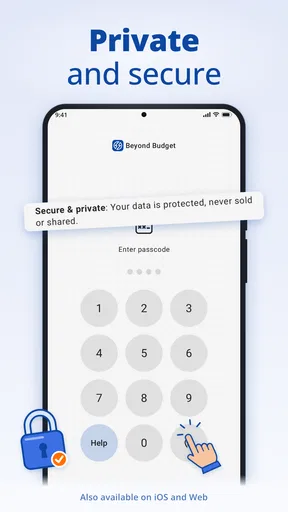
Once you’ve downloaded the app, it’s time to link your accounts. Now, I know what you might be thinking—"Do I really want to hand over my financial info?" Well, the app uses top-notch security measures to keep your data safe, so you can breathe easy. Plus, linking your accounts means you get a real-time view of your spending, which is super helpful for tracking your expenses without manually entering every single purchase.
Features That Stand Out
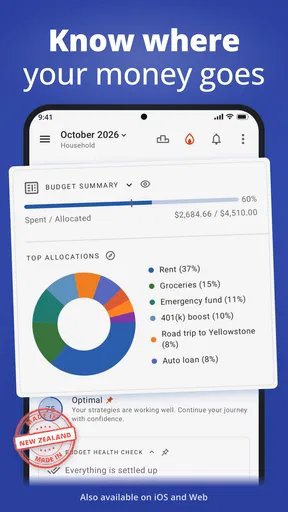
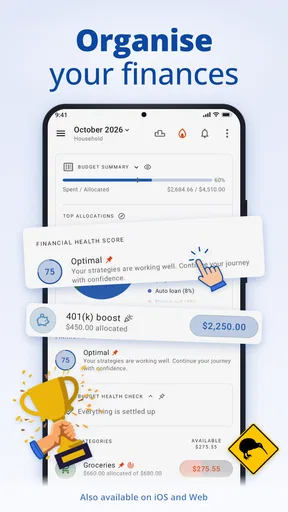
One of the features I love about this app is the customizable budget categories. Whether you’re trying to cut back on takeout or save up for a vacation, you can tailor your budget to fit your unique needs. And if you’re anything like me, watching that little progress bar fill up as you save is oddly satisfying.
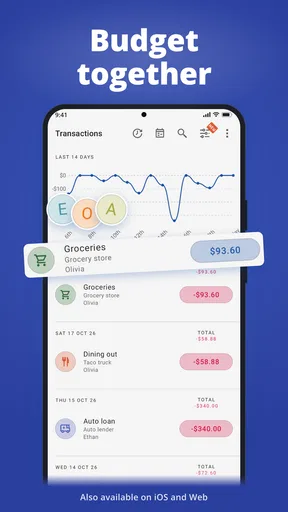
Another handy tool is the spending insights. These insights break down your spending habits and highlight areas where you might be overspending. It’s like having a financial detective pointing out where your money likes to sneak off to without your permission.
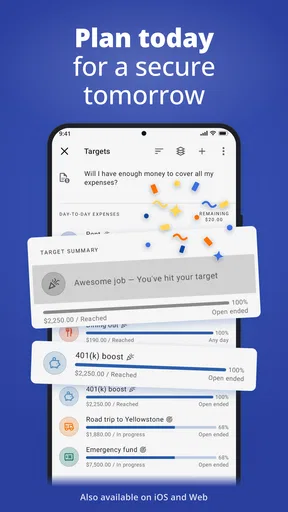
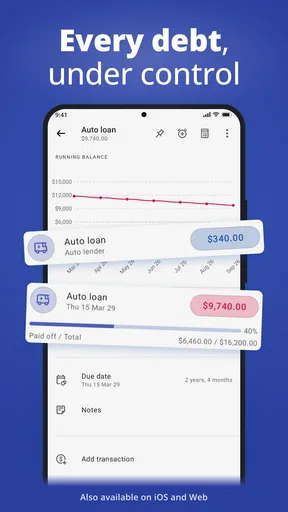
And let’s not forget about the goal-setting features. You can set financial goals, whether it’s building an emergency fund or saving for a new gadget. The app keeps you motivated by showing your progress toward these goals in a visual and engaging way.
Daily Use and Practicality
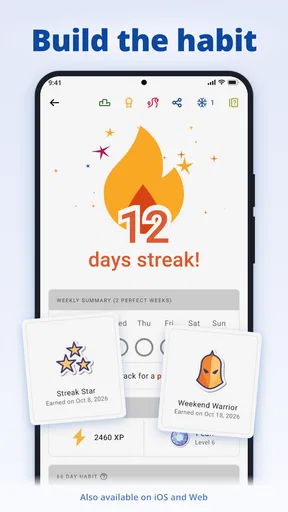
Using Beyond Budget daily has become part of my routine. The app sends gentle nudges to remind me of my budget limits, which is perfect for those days when I’m tempted by an impromptu shopping spree. It’s like having a wise friend whispering, “Do you really need that?”
One thing I appreciate is the app’s flexibility. It adapts to changes in your financial situation, so if you get a surprise bonus or an unexpected bill, you can easily adjust your budget without starting from scratch. This adaptability makes it a practical tool for anyone, regardless of their financial situation.
Choosing a setup you can maintain
One useful way to start is to plan only the categories that make a real difference to your decisions. Separate fixed commitments, such as rent and recurring bills, from costs that can vary, such as groceries or eating out. Then give savings a deliberate place rather than treating whatever remains at the end of the month as savings. This makes the plan easier to review and helps you see which choices are genuinely flexible.
Categories are most useful when they answer a question you actually ask yourself. If you often wonder whether convenience food is crowding out other spending, a distinct takeout category may be worth keeping. If two categories lead to the same decision, combining them can make reviews simpler. I would avoid building a long taxonomy just because the app lets you customize; extra detail creates extra upkeep, and a plan you stop maintaining is less useful than a simpler one you can revisit.
For irregular costs, think beyond the next few days. Annual renewals, seasonal clothing, or gifts can make a normal month look manageable and then strain a later one. Setting aside a small planned amount over time can make those expenses less startling. The point is not to predict every purchase perfectly; it is to make the less frequent costs visible before they compete with rent, food, or a savings goal.
A routine for busy days and changing plans
A workable everyday rhythm does not need to mean opening the app after every purchase. I would use a brief check before a planned outing or larger discretionary buy, then set aside a more focused moment to review the broader plan. For example, before shopping for the week, check the food category and decide what to do if it is already tight: choose less expensive meals, move money from a genuinely flexible category, or postpone a nonessential purchase. Making that decision in advance is more useful than discovering the mismatch after checkout.
When income or expenses change, revise the plan in order of importance. Cover essential bills first, then reconsider flexible spending, and only then decide whether a savings target needs to change. This is a practical advantage of assigning money intentionally: an unexpected expense becomes a trade-off you can see, rather than a reason to abandon the whole budget. I would make a note of the reason for a major adjustment in my own routine, even if that means keeping a simple reminder outside the budget, so the next review has context.
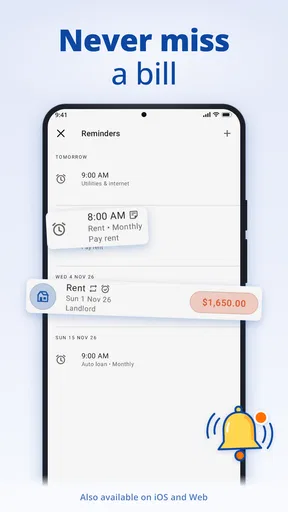
There is also a balance to strike with reminders. They can bring a limit to mind at the moment it matters, but frequent prompts may feel like nagging or add noise to an already busy day. I would keep only the reminders that support a decision I tend to forget, and use a scheduled review for everything else. That approach is especially helpful if you share a phone or have a workday when notifications are unwelcome.
What to check before relying on account connections
Account linking can reduce manual entry, but convenience does not remove the need to review transactions. I would check that purchases appear in the expected categories and correct the plan when a charge is unusual or misclassified. A cash purchase, reimbursement, or delayed transaction can also make a budget look temporarily different from what you remember spending. Treat the app’s picture as a working record to reconcile, not an unquestionable verdict.
If you would rather not connect financial accounts, consider whether the manual effort of your preferred workflow is realistic. Some people are comfortable entering or reviewing spending themselves; others will abandon a budget if every small purchase requires attention. Neither preference is a failure. The right choice depends on how much oversight you want and what level of account access feels acceptable to you. Before choosing, review the current in-app purchase information as well: the app is free to download, with optional purchases listed from $2.99 to $89.99 per item, so it is sensible to check what is included before paying for anything.
Beyond Budget has an average rating of 4.6 from around 2,600 ratings, with about 229 written reviews and over 100,000 installs. It is rated for Everyone, and version 3.20.1 is the current version; the app was released on September 11, 2022, and requires Android 10 or later. Those details make it straightforward to check basic compatibility, but I would still judge its comfort and workflow on the device and with the financial routine you actually use.
Who is likely to get the most from it?
I think the strongest match is someone who wants a plan to guide choices throughout the month: a new budgeter who is willing to learn the zero-based approach, a household trying to make saving more consistent, or a person whose spending tends to drift when there is no category-level limit. The app’s customizable categories and goals give those users a way to connect immediate decisions—like another takeaway meal—with something they care about later.
It is less compelling if your finances are already simple and you only need to note a handful of expenses, or if you strongly dislike assigning money in advance. People who depend on a particular text size, screen-reader behavior, voice input, or other accessibility setting should test the actual app on their device before committing to a daily workflow. I cannot infer that those needs are covered just from a clean interface, and it is reasonable to choose a different tool if its controls or information are tiring to use.
For an especially busy or unpredictable month, I would also resist the urge to judge success by whether every category stays exactly on target. A budget is a decision aid, not a promise that life will cooperate. If a bill rises or plans change, updating the amounts and understanding the trade-off is more useful than treating a deviation as failure. That flexibility is a strength only when the user remains willing to review the plan honestly.
Final Thoughts
Overall, I’ve found Beyond Budget - Budget Planner to be a game-changer in managing my finances. It’s straightforward, insightful, and genuinely helpful in keeping me on track. Whether you’re a budgeting newbie or a seasoned pro, this app offers something for everyone.
So, if you’re ready to take control of your finances and stop wondering where your money disappears to, give Beyond Budget - Budget Planner a try. You might just find it to be the financial partner you didn’t know you needed.
My inclusive take
For me, the best test is whether the app supports a budget you can understand and keep up with in your real circumstances, not whether you can make the most detailed plan. Its approachable presentation, adjustable categories, goals, and spending insights give it a useful foundation for people who want to plan actively. I would begin with a small set of meaningful categories, try a normal week, and adjust based on what feels clear rather than forcing myself into a complicated system.
At the same time, accessible use is personal. Reading comfort, dexterity, attention, notification tolerance, and confidence with financial account connections all affect whether a budgeting routine is sustainable. I would test the screens, try the core actions that matter to me, and make a deliberate choice about linking accounts before depending on the app. If those everyday interactions feel manageable, Beyond Budget can be a thoughtful companion for planning; if they create friction, a simpler tracker, spreadsheet, or another budgeting method may be the kinder and more practical fit.
Pros
- User-friendly interface with intuitive navigation.
- Customizable categories for personalized budgeting.
- Real-time syncing across multiple devices.
- Comprehensive expense tracking and reporting.
- Data protection with secure encryption.
Cons
- Limited features in the free version.
- No support for cryptocurrency tracking.
- Occasional sync delays reported by users.
- Requires internet for most functionalities.
- Lacks integration with some banks.
FAQs for Beyond Budget - Budget Planner
What is Beyond Budget - Budget Planner, and how does it work?
Beyond Budget - Budget Planner is a financial management app designed to help users track their expenses, set budgets, and achieve financial goals. It provides features like expense tracking, budget creation, and financial reporting. Users can input their income and expenses, categorize them, and receive insights into their spending habits.
Is Beyond Budget - Budget Planner free to use, or does it require a subscription?
Beyond Budget offers a free version with basic features. However, for advanced features such as detailed reporting, multi-device sync, and ad-free experience, a subscription is required. The app offers various subscription plans, including monthly and yearly options, catering to different user needs.
Can I sync my data across multiple devices with Beyond Budget?
Yes, Beyond Budget allows users to sync their data across multiple devices. This feature ensures that your financial information is up-to-date and accessible whether you’re using a smartphone, tablet, or computer. However, multi-device sync is typically available through the app's premium subscription.
How secure is my financial data with Beyond Budget - Budget Planner?
Beyond Budget prioritizes user data security by employing encryption protocols to protect your financial information. The app adheres to industry standards for data security and privacy, ensuring that your personal and financial data are kept safe from unauthorized access.
Does Beyond Budget - Budget Planner offer support for multiple currencies?
Yes, Beyond Budget supports multiple currencies, making it suitable for users who manage finances in different countries. This feature is particularly useful for frequent travelers or those who have income and expenses in various currencies, allowing for seamless financial management.


